 How often have you logged into your Google account, only to find that there’s some suspicious activity going on? You might wonder why, where, and how this happened, but in case you weren’t aware, you can access some of this information by simply checking out your Google account’s security settings. Here’s how it’s done.
First, you want to sign into your Google account. Then, click the grid-like icon in the top right corner of the screen, next to your account name. Click on My Account.
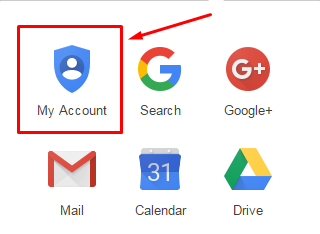
You’ll be taken to a central hub where you can access all sorts of settings for your Google account. For now, click on Sign-in & security.
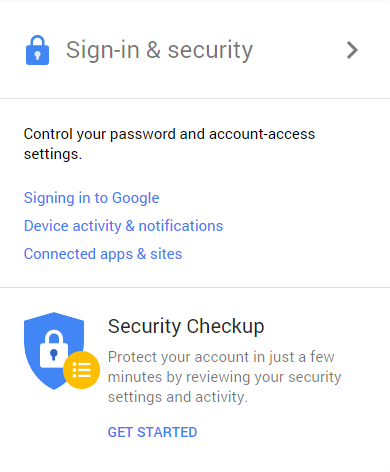
You can either scroll down to the Device activity & notifications section, or select it from the left sidebar. Either way, you’ll be able to see which devices were recently used to access your Google account.
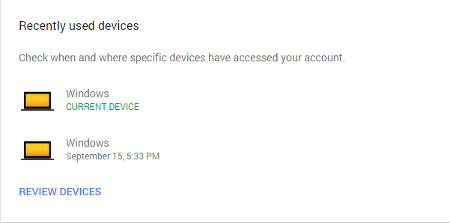
From here, you can click on Review Devices for a more thorough look at what’s going on behind the scenes, including time of access, the browser used, approximate access location, and even the country. It’s very useful for finding out who is accessing your account, and why.
If you notice that there is some activity that you might not recognize, reset your password and set up security notifications that will alert you if a hacker (or otherwise malicious person) attempts to sign into your account. Not only can this inform you that you’re being targeted, but it also gives you a chance to integrate more powerful security features that can help prevent future security mishaps.
It should be mentioned that there are a lot of other super useful features that are available through your Google account settings, like two-step verification, recovery options, password resetting, and app settings. It’s important that you take the time to go through these settings and ensure that they maximize the security of your account. All it takes is a hacker infiltrating your account once to make a fool of you, so take proactive steps to avoid this at all costs.
For more tips on how to secure your online accounts, be sure to subscribe to Bardissi Enterprises’s blog.
